Introduction
The default Signing Certificate that ships with JS7 for releases earlier than 2.5.12, 2.7.6, 2.8.0 will expire on October 12th 2025 at 12:50:55 UTC. Find details from JS7 - Signing Certificate Renewal
Workflows and Job Resources that have been deployed from earlier JS7 releases using the default Signing Certificate will stop working.
The following procedures can be applied by users who face certificate expiration.
Identifying Certificate Expiration
When certificate expiration occurs, users will notice that newly started orders will remain in the running state.
- This applies to orders submitted from the Daily Plan, to orders submitted on demand, and to orders added from JS7 - File Watching or from use of the JS7 REST Web Service.
- Jobs started before expiration date will continue to run.
- Orders started before expiration date will continue running jobs in a workflow executed with the same Agent.
The related Agent's log file will indicate the following warning:
Example for error raised in case that an expired Signing Certificate is used
2025-10-19T12:34:51,973 WARN js7.subagent.SubagentCommandExecutor - Workflow:My-Workflow~d6e268c0-bdfa-4f7a-8e14-1f739a00db54 could not be verified: java.security.cert.CertificateExpiredException: NotAfter: Sun Oct 12 07:50:55 CDT 202
Proceeding in case of Certificate Expiration
Applying the change when no Controller or Agents have been restarted and no orders have been suspended
Users are recommended to follow instructions available from JS7 - How to apply the change for continued use of default Signing Certificate. No further action is required.
The proceeding can be applied if no JS7 products have been restarted after certificate expiration and if users didn't try to suspend orders. Other than that, users find instructions from the next chapter.
Applying the change and updating the Controller Journal
After certificate expiration oocurs and Controller or Agents have been restarted, users are recommended applying the following steps in the given sequence which will keep existing orders in place:
Check that Controller instances are up and running.
- Agent
- Proceeding
- Store the patch .jar file matching your Agent's release that is available from JS7 - How to apply the change for continued use of default Signing Certificate to the Agent.
- Restart the Agent.
- Apply the same proceeding to all Agents: Standalone Agents, Director Agents, Subagents. Sequence of patching Agents does not matter.
- Proceeding
- Controller
- Proceeding
- Store the patch .jar file matching your Controller's release that is available from JS7 - How to apply the change for continued use of default Signing Certificate to the Controller.
- Stop the Controller.
- Update the Controller’s journal as explained from: JS7 - How to replace the Digital Signing Certificate in Journals.
- Download the update-journal.jar file.
Run the update-journal.jar file like this:
Example for Journal Update on Unix# check if journal update is required java -jar ./update-journal.jar --state-dir=/var/sos-berlin.com/js7/controller/state --check # perform journal update java -jar ./update-journal.jar --state-dir=/var/sos-berlin.com/js7/controller/state
Example for Journal Update on Windows@rem if journal update is required java -jar .\update-journal.jar --state-dir=C:\ProgramData\sos-berlin.com\js7\controller\<controller-id>\state --check @rem perform journal update java -jar .\update-journal.jar --state-dir=C:\ProgramData\sos-berlin.com\js7\controller\<controller-id>\state
The--state-diroption expects the path to thestatedirectory inside the Controller's data directory that is specified during Controller installation:OS Frequently used Journal Locations Unix /var/sos-berlin.com/js7/controller/stateWindows C:\ProgramData\sos-berlin.com\js7\controller\<controller-id>\state
- Start the Controller.
- Apply the same proceeding to all Controller instances. Sequence does not matter.
- Proceeding
- JOC Cockpit
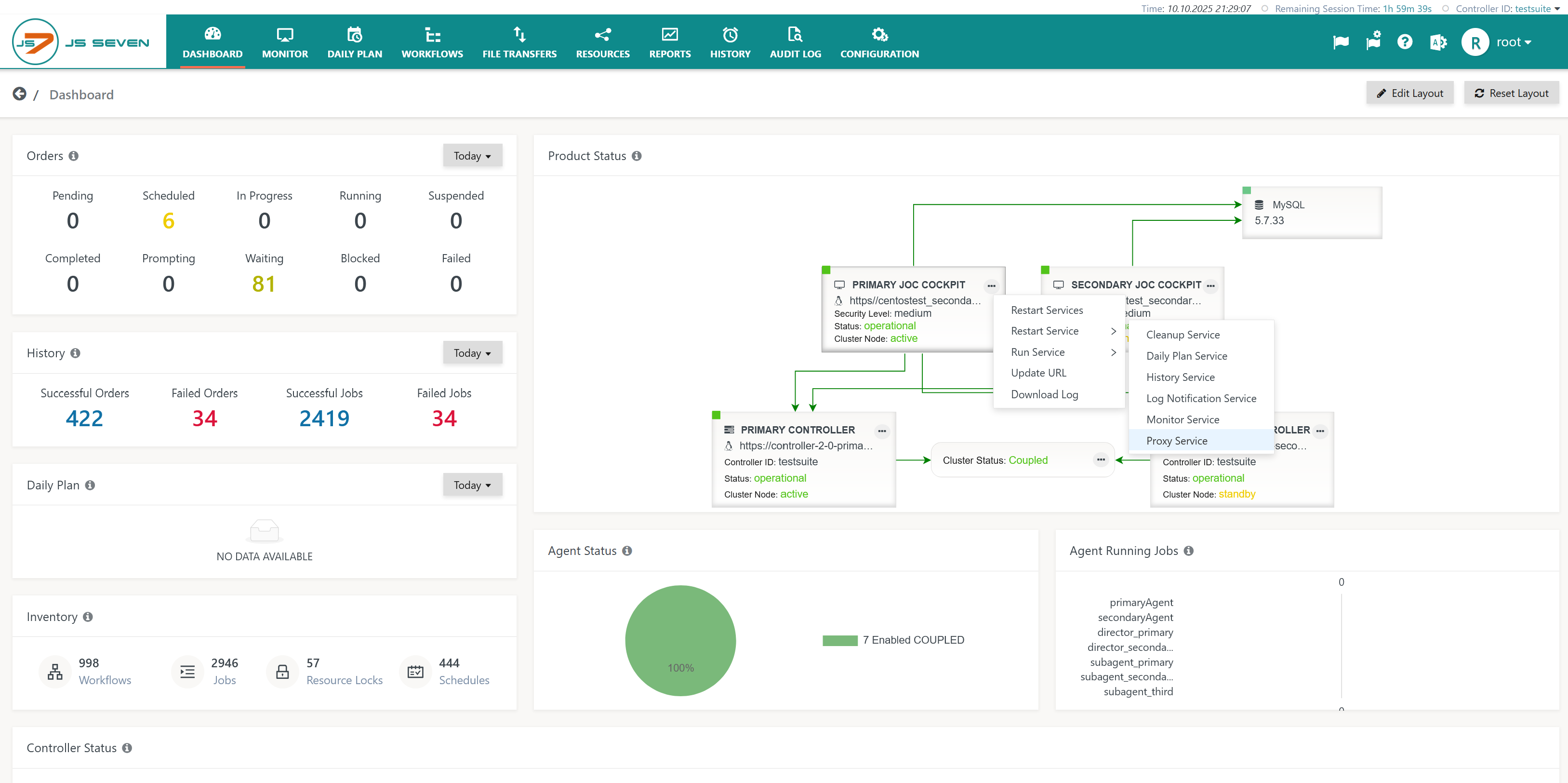
- Restart the Proxy Service from the JS7 - Dashboard. The active JOC Cockpit instance's rectangle offers the 3-dots action menu with the Restart Service -> Proxy Service operation.
- For releases prior to 2.5.10, 2.6.7, 2.7.1 the functionality is not available from the GUI and JOC Cockpit has to be restarted.
Resources
- JS7 - Signing Certificate Renewal
- JS7 - How to apply the change for continued use of default Signing Certificate
- JS7 - How to replace the Digital Signing Certificate in Journals
Overview
Content Tools